BSEtunes .NET MAUI Client
With the BSEtunes client, an authorized user can play singles, entire albums, as well as the content of self-created playlists – in other words, the complete content of their selected BSEtunes system – on their iOS or Android device.
Porting the BSEtunes client to a cross-platform solution: Since Microsoft discontinued the development and support of Xamarin, the BSEtunes client for iOS and Android has been ported from Xamarin to .NET MAUI.
It’s our first project developed with the support of GitHub Copilot and with GitHub’s Copilot as a reviewer.
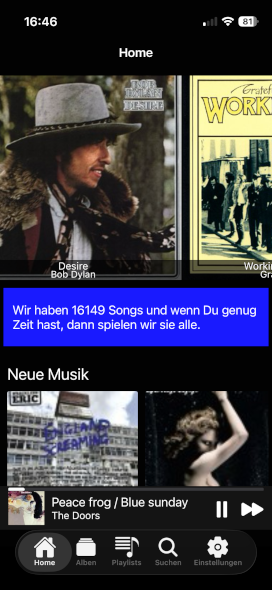
Hear,
it's not silent
The gateway to the noisy possibilities of the BSEtunes system – the entry point to music collections and self-created playlists.
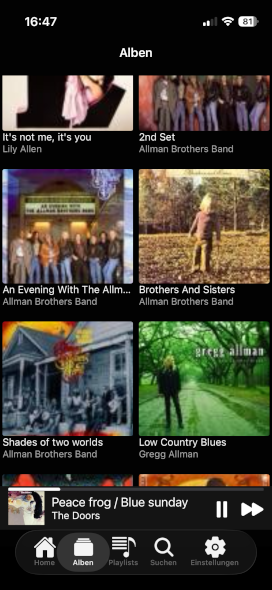
Look,
what's possible
Browse through the albums of your favourite BSEtunes
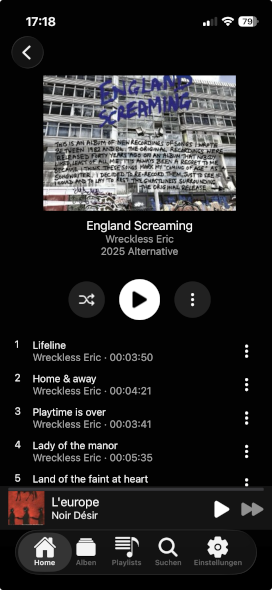
Check the content,
Browse through an album and select the hit
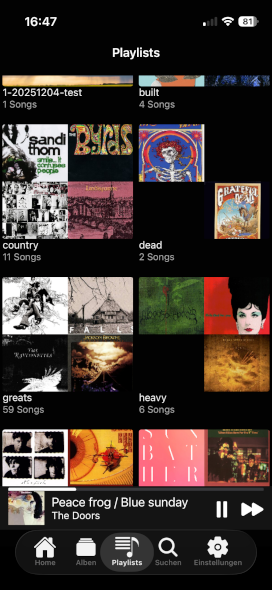
Collect,
what your heart wants to hear
A playlist is nothing more than an album of songs you choose. Create a unlimited number of playlists with your favourite songs.
How To do that is shown in the animation at the top of the page there
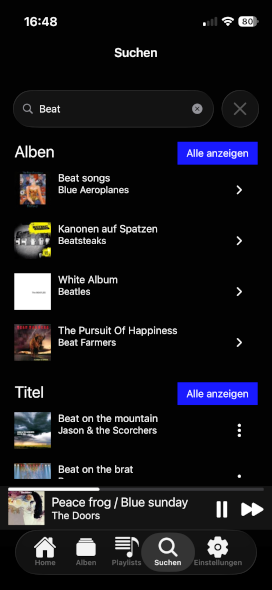
Find,
all you need
What’s new in version 1.0.5
This version upgrades the BSE.Tunes MAUI client from .NET 8 to .NET 9, updates major dependencies, and introduces responsive layouts for tablet support. The changes include a significant refactoring of the MediaElement handling for iOS, removal of the AcrylicView library, and implementation of new reusable UI controls.
Key changes:
- Framework upgrade from net8.0 to net9.0 with associated dependency updates (MAUI 9.0.120, CommunityToolkit.Maui.MediaElement 6.1.3, FFImageLoading 1.3.2, Prism 9.0.537)
- iOS MediaElement handler refactored to use custom platform view implementation with proper lifecycle management
- Introduction of responsive layouts for phone/tablet with orientation support via new DeviceAndOrientationStateTrigger and AlbumPlayerItem, TrackItem, CoverTrackItem controls
- Removal of AcrylicView.Maui dependency and associated UI simplifications
- Improved flyout animation timing by moving from service to control-level event handling
Important!!
Due to copyright restrictions on the streamed music files, server load, and potentially limited bandwidth during server operation, a connection without a login is not possible. Therefore, you need a user account to connect to our server.
- You are not able to register yourself as a user via the app, your will be invited.
- A registration can only be done by the operator of the BSEtunes server.
Questions??
If you have questions, here’s the source code.
Downloads
IOS Devices
Registered users can install an adhoc distribution version of the app.
click to install it on an Apple device